

Featured Images
-
 Is your PC compatible with Mac OS X? Read this first.
-
 How to install OS X El Capitan on your PC with Unibeast
-
 How to use Multibeast 8: a comprehensive guide
-
 The Basic Guide to Setting Up Clover Bootloader
-
 How Much Money Will A Hackintosh Save You? [UPDATED]
-
 How to dual-boot Windows and OS X on separate disks
April 4, 2012
The Easy Way To Install Mountain Lion On a PC

April 2, 2012
Four Cheap Hackintosh Builds Worth Your Money

April 1, 2012
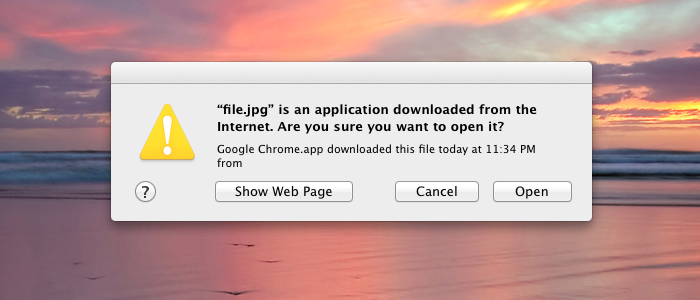
Disable internet download warnings on Mac OS X
March 30, 2012
The Best 14-inch Hackintosh Notebook

March 25, 2012
The Best Hackintosh Laptops Of 2012 - For Lion

It's very difficult to find a laptop that can easily be turned into Hackintosh. As mentioned in our Hackintosh compatibility guide, most laptops aren't good Hackintoshes, because the compact design of laptops makes it very difficult to replace non-compatible parts.
With this in mind, I've compiled a list of Hackintosh-compatible laptops, all of which can run Mac OS X Lion without the need to replace any hardware. Some of these laptops were chosen because they were exceptionally compatible with Mac OS X, while others were chosen because they had a large Hackintosh community backing them. Most of the guides provided below are from tonymacx86, and have files attached to them. To view and download attached files on tonymacx86, you have to register an account on the website.
March 23, 2012
Enable Intel HD 3000 graphics on your Hackintosh

March 17, 2012
How to install Mac OS X Mountain Lion [Developer Preview] on your Hackintosh

March 16, 2012
How to dual-boot your Hackintosh with separate hard disks (with Chimera/Chameleon bootloader)
 Update (March 8, 2016): Using OS X 10.10 El Capitan? Check out our updated dual-booting guide on El Capitan instead.
Running Mac OS X on a Hackintosh is great, but most people still need to use Windows every now and them. That's where dual-booting comes in. Dual-booting is the process of installing both Mac OS X and Windows on your computer, so that you can choose between the two when your Hackintosh starts. If you want to dual-boot, the easiest way is to install Windows and Mac OS X on separate hard disks. This method is the most hassle-free.
March 12, 2012
Change the background of your login screen with Loginox

March 9, 2012
How to edit your own DSDT with DSDT Editor
