 Running Mac OS X on a Hackintosh is great, but most people still need to use Windows every now and them. That's where dual-booting comes in. Dual-booting is the process of installing both Mac OS X and Windows on your computer, so that you can choose between the two when your Hackintosh starts. In this guide, we're going to show you how to set up your Hackintosh to simultaneously boot Windows and OS X El Capitan, by installing both operating systems on separate partitions in the same hard disk-- this is slightly more difficult than installing the two operating systems on separate hard disks, but for many people, it will also be the more convenient solution.

Featured Images
-
 Is your PC compatible with Mac OS X? Read this first.
-
 How to install OS X El Capitan on your PC with Unibeast
-
 How to use Multibeast 8: a comprehensive guide
-
 The Basic Guide to Setting Up Clover Bootloader
-
 How Much Money Will A Hackintosh Save You? [UPDATED]
-
 How to dual-boot Windows and OS X on separate disks
April 9, 2016
How to dual-boot Windows and OS X El Capitan on the same hard disk in your Hackintosh
Running Mac OS X on a Hackintosh is great, but most people still need to use Windows every now and them. That's where dual-booting comes in. Dual-booting is the process of installing both Mac OS X and Windows on your computer, so that you can choose between the two when your Hackintosh starts. In this guide, we're going to show you how to set up your Hackintosh to simultaneously boot Windows and OS X El Capitan, by installing both operating systems on separate partitions in the same hard disk-- this is slightly more difficult than installing the two operating systems on separate hard disks, but for many people, it will also be the more convenient solution.
March 8, 2016
How to dual-boot Windows and OS X El Capitan on separate hard disks in your Hackintosh
 Running Mac OS X on a Hackintosh is great, but most people still need to use Windows every now and them. That's where dual-booting comes in. Dual-booting is the process of installing both Mac OS X and Windows on your computer, so that you can choose between the two when your Hackintosh starts. In this guide, we're going to show you how to set up your Hackintosh to simultaneously boot Windows and OS X El Capitan (currently the newest version of Mac OS X, as of March 2016). To do this, we will be installing the two operating systems on separate hard disks, which is the easiest and most hassle-free method.
March 4, 2016
How to record your screen for free in Mac OS X, using Quicktime
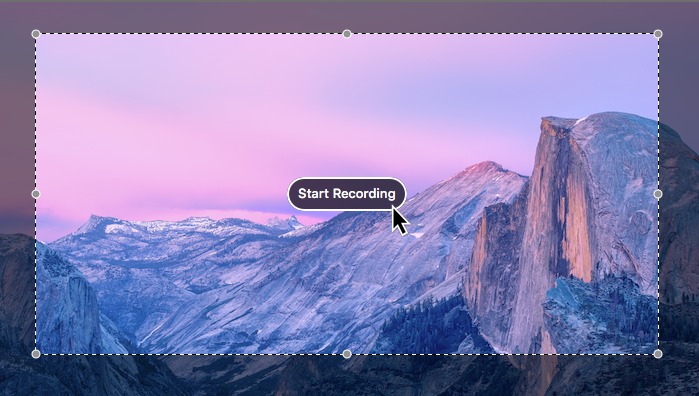 Every now and then, you might face a situation in which you want to record a video of your computer screen. Whether you're making a tutorial to teach your friends (or parents) how to do fix a bug, or you just want to show off some new trick on your computer, a screen recording tool is something that's always worth having in your applications folder. Luckily for you, Apple actually offers a screen-recording app built into all versions of Quicktime Player since OS X 10.6 (Snow Leopard).
February 14, 2016
A Quick Guide To Your Hackintosh's EFI Partition
 When you're setting up a Hackintosh, the single most important tool in your process will be the bootloader, which is the program that enables your computer to "boot" Mac OS X. Ever since the release of OS X El Capitan in 2015, the new Clover Bootloader has rapidly become the most popular bootloader within the Hackintoshing community, and for good reason: compared to the old Chameleon/Chimera bootloaders, Clover offers faster boot times, more features, and better hardware compatibility. However, Clover can also be a bit tricky to work with, due to its use of a feature called the "EFI partition" (also known as an EFI system partition, or ESP). Just what is the EFI Partition, and how do you use it? That's what this guide is here for.
December 6, 2015
How to use Multibeast 8: a comprehensive guide for El Capitan
 Recently, tonymacx86 released Multibeast 8, a version of Multibeast customized specifically for El Capitan, Apple's newest version of Mac OS X. While this new version of Multibeast may seem very similar to its Yosemite-era predecessor on the surface, it actually includes many important under-the-hood changes to improve compatibility. Read on for more details!
October 4, 2015
How to set extra boot flags/options/arguments for Clover bootloader
 Starting up Mac OS X for the first time on your Hackintosh can be a very tricky process, which often requires you to set special boot options through the use of boot flags. For those of you who don't know, boot flags are "arguments" (pieces of data that you enter) to change the way that your bootloader runs. The bootloader is the program that boots Mac OS X.
While we've already previously discussed how to use boot flags on the Chameleon and Chimera bootloaders, which were formally the two most popular bootloaders for PCs running Mac OS X, the release of OS X El Capitan has now shifted attention onto the new and upcoming Clover bootloader. All Hackintosh installation methods for El Capitan, including tonymacx86's ever-popular Unibeast method, now use Clover. Unfortunately, using boot flags on Clover requires a slightly different technique than on Chameleon/Chimera (although most of the boot flags themselves remain the same). That's what this guide is here for.
October 3, 2015
How to install OS X El Capitan on your PC with Unibeast
 If you're interested in running Mac OS X, but you don't want to pay ridiculous prices for a normal Mac, then a Hackintosh just might be for you. Right now, the newest iteration of OS X is 10.11, known as El Capitan. Installing El Capitan on a PC is slightly different from installing Mac OS X 10.10 (Yosemite), due to new developments in Hackintoshing tools. This guide will follow tonymacx86's standard Unibeast method, except that we try to cover the process with more detail (and pictures!).
January 16, 2015
How to install OS X Yosemite in Virtualbox with Yosemite Zone
 We've previously shown you how to install OS X Mavericks on a virtual machine by using Niresh, which is great practice for installing Mac OS X on your actual computer. And now that Apple has released OS X Yosemite, it's only fitting that we show you how to install Yosemite in a virtual machine as well. For this guide, we'll be using the "Yosemite Zone" distro, which is really just a rebranded version of the old Niresh distro that we used in our Mavericks guide. While we've already shown you how to install Yosemite on your actual computer with Yosemite Zone, it also works great with virtual machines.
January 7, 2015
Hackintosh won't boot? How to use verbose mode to fix it
 Setting up Mac OS X on a PC can be an extremely tricky process-- since Apple never intended for the operating system to run on any third-party hardware, Mac OS X can suffer from all sorts of bugs and hangups when you try to start it on your own PC for the first time. If your Hackintosh can't properly boot for some reason, then you'll probably have to turn on OS X's "verbose mode" to diagnose the problem. Verbose mode transforms the standard gray Apple boot screen into a text-based interface, from which Mac OS X will print out every single process that it runs in the background as it starts up. This way, you can tell exactly which process is messing up the startup process as a whole.
However, using verbose mode itself can be very tricky. After all, Mac OS X has to run hundreds of different processes at once to start up properly, so interpreting your results from verbose mode is often extremely complicated. This guide is here to help.
November 20, 2014
How to install OS X Yosemite on your PC with "Yosemite Zone"
 If you're interested in running Mac OS X, but you don't want to pay ridiculous prices for a normal Mac, then a Hackintosh just might be for you. Right now, the newest iteration of OS X is 10.10, known as Yosemite. In this guide, we'll show you how to install Yosemite on your PC with the newly released "Yosemite Zone" distro, from Niresh.
November 14, 2014
How to use Multibeast 7: a comprehensive guide for Yosemite
 Recently, tonymacx86 released Multibeast 7, a version of Multibeast customized specifically for OS X Yosemite, Apple's newest version of Mac OS X. While this new version is mostly identical to its Mavericks-era predecessor, it does include a few key changes to improve compatibility. Read on for more details!
October 21, 2014
How to set up the BIOS of your Hackintosh's Gigabyte motherboard
 If you own an old computer that you want to turn into a Hackintosh, you'll probably have to fiddle with its BIOS, which is basically a traditional-style settings page for your motherboard. Since 2012, the BIOS standard has largely been replaced by UEFI, a newer (and better-looking) interface for managing motherboard settings. However, we believe that enough Hackintoshes these days still use BIOS to warrant a guide for it. Gigabyte motherboards have traditionally been the most widely recommended brand for Hackintoshes, so that's what we'll be covering in this tutorial.
October 20, 2014
How to install OS X Yosemite on your PC with Unibeast
 If you're interested in running Mac OS X, but you don't want to pay ridiculous prices for a normal Mac, then a Hackintosh just might be for you. Right now, the newest iteration of OS X is 10.10, known as Yosemite. Installing Yosemite on a PC is pretty much the exact same as installing Mac OS X 10.9 (Mavericks). This guide will follow tonymacx86's standard Unibeast method, except that we try to cover the process with more detail (and pictures!).
June 14, 2014
Enable writing to NTFS hard drives for free in Mac OS X (including El Capitan!)
 Windows uses the NTFS file system for its hard drives. Mac OS X can read files on NTFS hard drives, but it can't write files to them, which is a glaring omission. Attempting to drag a file into an NTFS drive in Mac OS X will only result in your mouse cursor turning into an error sign. Since many Hackintoshes dual-boot Windows and Mac OS X, being unable to share files between hard drives can lead to a lot of problems with file management. Fortunately, you can enable NTFS writing on OS X with relatively little trouble-- all it takes is a few drivers and 10 minutes of your time.
May 29, 2014
How to install OS X Mavericks in Virtualbox with Niresh
 We've previously shown you how to install OS X Mountain Lion on a virtual machine by using iAtkos ML2, which is great practice for installing Mac OS X on your actual computer. And now that Apple has released OS X Mavericks, it's only fitting that we show you how to install Mavericks in a virtual machine as well. Unlike in previous versions of this guide, we'll be using the newly-popular "Niresh" distro of Mavericks instead the old iAtkos distro (which is no longer publicly available for free). While we've already shown you how to install Mavericks on your actual computer with Niresh, it also works great with virtual machines.
April 18, 2014
The Best Hackintosh Laptops of 2013-2014 - Mavericks Edition
 It's very difficult to find a laptop that can easily be turned into Hackintosh. As mentioned in our Hackintosh compatibility guide, most laptops aren't good Hackintoshes, because the compact design of laptops makes it very difficult to replace non-compatible parts. With this in mind, we are proud to introduce our long overdue list of Hackintosh-compatible laptops for 2013 and 2014.
March 7, 2014
How to edit your own DSDT with MaciASL
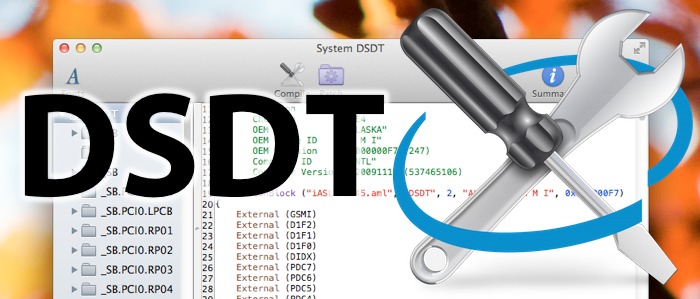 DSDTs ("Differentiated System Description Tables") are configuration files that tell Mac OS X how to use your Hackintosh's motherboard, without the need for extra kexts and drivers. For desktop computers, a DSDT will make it a lot easier to enable sleep mode on your Hackintosh; it may also fix bootup problems related to your CPU, and enable HDMI audio. For laptop computers, meanwhile, DSDTs are even more useful. A good DSDT will fix a huge number of laptop-related issues in Mac OS X, including problems regarding audio, battery, graphics, USB, WiFi, fan control, and more. In this guide, we'll show you how to edit your own DSDT, by applying patches with the DSDT editing tool MaciASL.
January 3, 2014
How to install OS X Mavericks on your PC with Niresh
 If you're interested in running Mac OS X, but you don't want to pay ridiculous prices for a normal Mac, then a Hackintosh just might be for you. Right now, the newest iteration of OS X is 10.9, known as Mavericks. In this guide, we'll show you how to install Mavericks on your PC with the newly released "Niresh" distro (also known as "Mavericks Zone").
December 4, 2013
How to install iWork for free on a new Hackintosh [mini-guide]
 Apple released new versions of its iWork apps for OS X Mavericks this November, making it a free download for all new Macs purchased on or after October 1, 2013. However, Hackintosh users will have no such luck taking advantage of this update-- new Hackintoshes are not recognized by the Mac App Store as new Macs, and if you want the newest versions of Pages, Numbers, or Keynote, you're officially required to pay the full $60 price. Fortunately, there is a workaround!
October 30, 2013
How to use Multibeast 6: a comprehensive guide for Mavericks
 Recently, tonymacx86 released Multibeast 6, a version of Multibeast customized specifically for OS X Mavericks, Apple's newest version of Mac OS X. Unlike previous versions of Multibeast, which were really just glorified installer packages, Multibeast 6 has been recoded as a standalone OS X application. The selection layout has been drastically revamped, and all Mountain Lion-specific options have been removed. Unsure what to do? This guide is here to help.